Pitfall II
platformer game for Commodore 64, 1984
------------------------------------------------------------------------------
Press F7 to start!

THE TASK BEFORE YOU

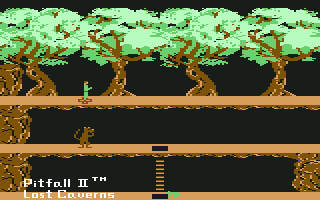
Join Pitfall Harry as he searches a vast
subterranean cliff dwelling high in the
Andes. He's looking for the fabled Raj
Diamond, gold bricks, his niece Rhonda
and the cowardly lion Quickclaw. He
finds more than he bargained for - eels,
poisonous frogs, albino scorpions, bats,
condors, a raging river - in the
greatest challenge of his career!

KEYBOARD CONTROLS

Press [F1] to begin a new game.

Press [RESTORE] to quit current game.

Press [RUN/STOP] to pause/resume game.

JOYSTICK CONTROLS

Use a joystick plugged in port one.

To move Pitfall Harry left or right,
move the joystick left or right.

To jump, press the fire button.

To descend a ladder, pull the joystick
back just before Harry reaches the hole.

To ascend a ladder, push joystick
forward.

Push the fire button and jump to catch a
balloon. Move joystick left or right to
float left or right. To speed up, push
joystick forward; to slow down, pull
joystick back.

To cross a shaft, press the fire button
right before you jump and hold it down
as you move the joystick in the
direction you're heading.

DANGERS

Keep away from frogs, bats, condors,
eels and albino scorpions. Touching any
of them will really set you back!

RED CROSSES

Whenever Pitfall Harry succumbs to a
danger, he is magically transported back
to the last red cross he touches. So, be
sure and touch each of these mystical
Incan healing centers as you encounter
them. You should hear a "ping".

REWARDS

You start out with 4,000 points.
Thereafter, receive:

 5,000 points for every gold bar.
15,000 points for the cave rat.
20,000 points for the Raj diamond.
10,000 points for Rhonda.
10,000 points for Quickclaw.

Touching dangerous creatures or falling
unintentionally loses points.
------------------------------------------------------------------------------
Some useful keyboard shortcuts
------------------------------------------------------------------------------
       [PAUSE] - stop/continue game
          [F9] - quick load game state
         [F12] - quick save game state (still stored after leaving the site)
         [F11] - toggle fullscreen mode
  [ScrollLock] - quick switch control ports
    [PageDown] - make a screenshot (320x200)