Prince of Persia
platform game for Commodore 64, 2011
------------------------------------------------------------------------------
Introduction

It is a time of darkness.  While the sultan is off fighting a foreign
war, his Grand Vizier Jaffar has seized the reins of power.
Throughout the land,  the people groan under the yoke of tyranny,
and dream of better days.

You are the only obstacle between Jaffar and the throne.  An
adventurer from a foreign land, innocent of palace intrigues, you have
won the heart of the Sultan's lovely young daughter.  And in so doing,
you have unwittingly made a powerful enemy.

On Jaffar's orders, you are arrested, stripped of your sword and
possessions, and thrown into the Sultan's dungeons.  As for the
Princess, Jaffar gives her a choice, and an hour to decide: Marry
him--or die.

Locked in her room high in the palace tower, the Princess rests all
her hopes on you.  For when the last sands drain from the hourglass,
her choice can bring only a throne for the Grand Vizier...a new reign
of terror for his long-suffering subjects...and death for the brave
youth who might have been...Prince of Persia.


Running, Jumping, and Climbing

* To run:  Push the joystick in the direction you want to go (left or
right).  Release the joystick to stop.

* To take careful steps:  Hold down a joystick button and push the
joystick in the direction you want to go. You can use careful steps
to move right up to the edge of a pit or a suspicious-looking floor
section.

* To jump up:  Push the joystick straight up.

* To jump forward:  When you are standing still, push the joystick up
diagonally in the direction you want to jump.

You can jump farther with a running start.  For a running jump over a
chasm, back up at least two full strides from the edge.  Push the
joystick forward to start running, then up to jump.  Don't be afraid
of pushing the joystick up too early; your character will wait until
the last possible moment to jump.

* To climb up onto a ledge:  Stand facing the ledge and push the
joystick straight up.  If necessary, use careful steps to position
yourself up onto the ledge, push the joystick up.

* To hang from a ledge:  Press a joystick button and hold it down.  To
let yourself drop, release the button.  To pull yourself up onto the
ledge, push the joystick up.

Any time you jump or fall within reach of a ledge, you can grab onto
it by pressing a button.  Remember--when you release the button, you
let go of the ledge.

* To climb down from a ledge:  Step up to the edge, turn around, then
push the joystick down.  To hang from the ledge, press a joystick
button and hold it down.

* To duck:  Push the joystick straight down.  Release it to stand up.

* To pick something up:  Stand in front of it and press the button.


Fighting

When you come face to face with an armned opponent, release the
joystick.  You will automatically draw your sword--if you have
one--and go en garde.  In this stance, the controls are somewhat
different.

* To strike:  Press a joystick button.

* To advance:  Push the joystick in the direction you're facing
(towards your opponent).

* To retreat:  Push the joystick away from your opponent.

* To block your opponent's strike:  Push the joystick up just as your
opponent is striking.  It may take some practice to get the timing
right.  Watch your opponent carefully, and wait for him to strike.

* To stop fighting:  Push the joystick down.  Once you have put away
your sword, you are free to run, jump and climb as usual.  Be careful,
though--when you are off guard, a single sword blow can kill
you.  To draw your sword again, press a joystick button.


Hints

* To get the maximum distance from a standing jump across a
  chasm, use careful steps to move right up to the edge of the pit
  before you jump.

* If you jump a chasm but fall short, you may still be able to grab
  on to the opposite ledge by pushing a button.  Remember, when
  you let go of the button, you let go of the ledge.

* Every time you block an opponent's sword strike, the force of
  the blow pushes you back slightly.  If you adopt a defensive
  strategy, you will find yourself steadily losing ground.  Try
  following up a successful block with a strike.

* Test for loose floor sections by jumping up and down.

* You can knock out a loose floor section by standing directly
  beneath it and jumping up.  Try not to be there when it lands.

* There are two kinds of pressure-activated floor plates.  One kind
  raises gates, the other lowers them.  With experience, you can
  learn to distinguish them from ordinary floor sections and from
  each other.

* Learn to recognize different kinds of potions by sight.

* You can cross a bed of spikes safely by taking careful steps.

* A two-story drop will hurt you.  A three-story drop will kill you.

* You never know what you'll find in a dungeon.  Don't be afraid
  to explore, and to experiment.  After all, you've got nothing to
  lose except your life, the Princess, and the entire Kingdom.


Life and Death

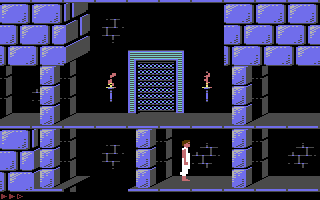
The row of red bullets in the lower left corner of the screen
indicates your current strength.  Every time you get hurt, you lose
one unit of strength.  When the last of your strength disappears, you
die.

You start the game with three units of strength. (Later on, you may be
able to increase your strength beyond this limit.)

Things that cost you one unit of strenght include a blow by a guard's
sword, two-story falls, and having a section of the floor collapse on
your head.  Other, more serious accidents can kill you outright.

An opponent's strength is indicated by a row of blue bullets in the
lower right corner of the screen.  To kill an opponent, you need to
take away all his strength units.


Adventuring

Although this is your time inside the Sultan's palace, you do have
some general information that may help you:

* The Princess is imprisoned in the high tower of the palace.  To
  reach her, you must find your way out of the dungeons, through
  the palace's main building, and up to the top to the tower.

* Generally speaking, the guards on the dungeon duty tend to be the
  dregs of the Sultan's corps.  The more capable ones are usually
  assigned to the palace's main building.  The very best of
  them--the deadliest swordsmen in the Sultan's employ--are
  kept for the elite honor guard in the tower, where they are
  responsible for the personal safety of the Princess and of the
  Grand Vizier.

* Since your arrival in the city, you have heard some strange
  rumors.  It is whispered that the Grand Vizier Jaffar is a
  magician, a master of the black arts of enchantment; that his
  powers are more than mortal.  Knowing, as you do, that much
  of what passes for magic is mere trickery and superstition, you
  are reluctant to take these stories too seriously.  Nevertheless,
  they don't do much for your peace of mind.


Death and Continuation

When you die, the message "PRESS BUTTON TO CONTINUE" will appear on
the screen.  Press a joystick button to return to the beginning of the
current level.

If you don't press a button, the message will remain on the screen for
about 20 seconds, then start to flash in warning, accompanied by a
chime.  After ten chimes, the game will end and you will be returned
to the title sequence.

If you get yourself into a situation where you can find no way out,
press CONTROL-A to restart the level.

You can continue the game as many times as you want without penalty.
Remember, though, the sands in the hourglass are draining away....

To see how much time is left, press the SPACE BAR.


Special Keys

Control-R......Ends the game and returns you to the title sequence.

Control-A......Restarts play from the beginning of the current level.

Control-S......Turns off all sound.  Press again to turn the sound
               back on.

Control-N......Turns off the music.  Press again to turn the music
               back on.

Space Bar......Press to see how much time is left.
------------------------------------------------------------------------------
Some useful keyboard shortcuts
------------------------------------------------------------------------------
       [PAUSE] - stop/continue game
          [F9] - quick load game state
         [F12] - quick save game state (still stored after leaving the site)
         [F11] - toggle fullscreen mode
  [ScrollLock] - quick switch control ports
    [PageDown] - make a screenshot (320x200)